Back to Smart Homes

Automatic Door Openers for NDIS Participants in Perth

Retrofit motorised swing and sliding door operators — activated by button, fob, sensor, voice or your ECU. Built for wheelchair and power-chair users who need the door to do the work.

Only the key is the problem? If you can push or pull the door once it's unlocked, a keyless smart lock solves it at a fraction of the cost of a motorised opener.

Smart locks & keyless entry
Who it's for

When the door itself is the barrier

Unlocking a door and opening it are two different problems. A motorised operator solves the second one — the weight, the swing, the reach, and the awkward reverse-and-pull that a chair user has to perform at every hinged door.

Wheelchair & power-chair users

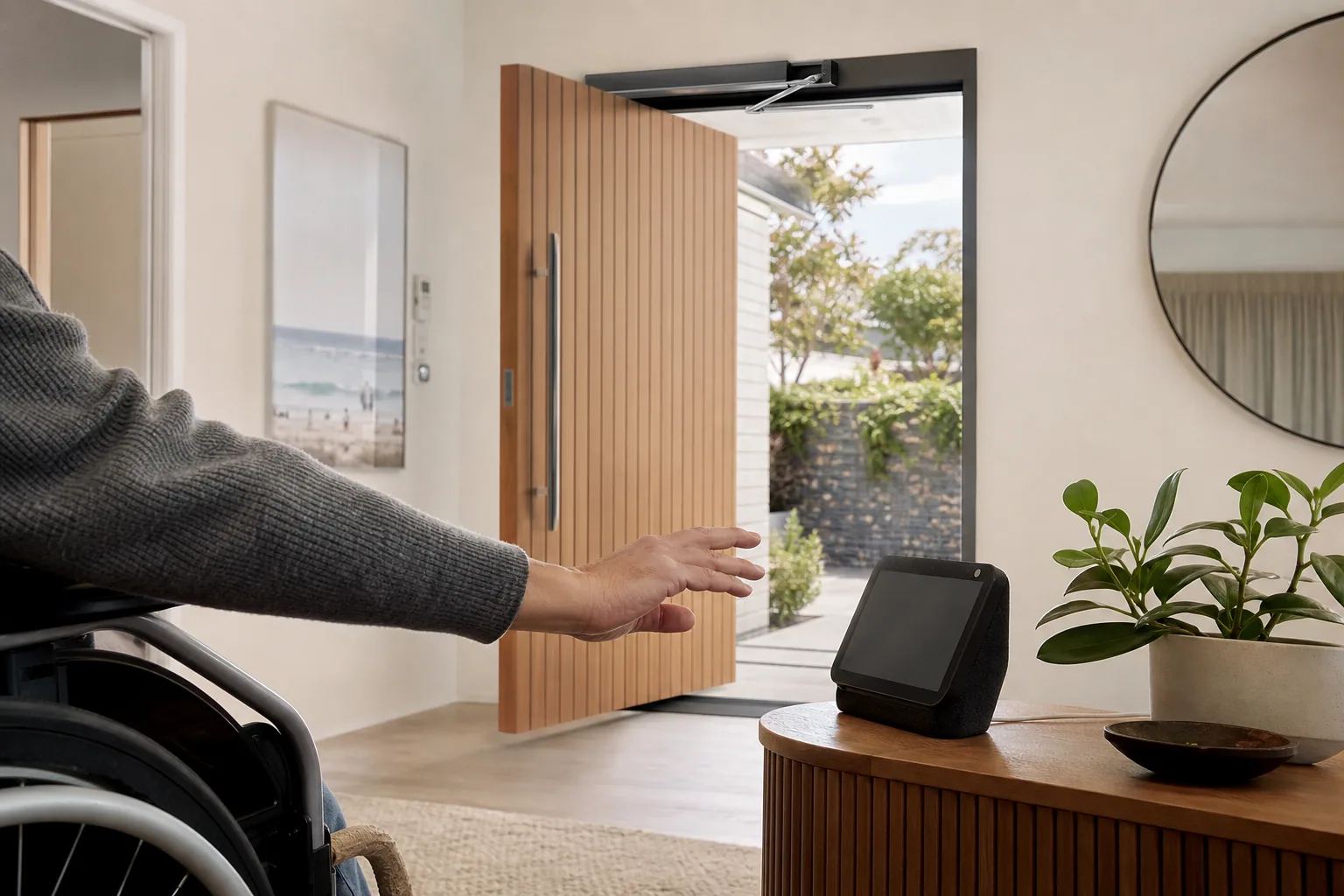
Approach the door without transferring, reversing to clear the swing, or asking someone to hold it. The door opens, holds, and closes behind you on its own.

People who can't pull a heavy or sprung door

Solid-core front doors and self-closing fire doors need real force to move. A motor removes that force entirely — no pushing, no pulling, no bracing.

Participants using environmental control units

The opener joins your switch, sip-and-puff, tablet or voice ECU so the door is part of your existing control set rather than a separate workaround.

SDA residents and support teams

Openers on shared entries and internal doors reduce the physical assistance a support worker has to provide, and let residents move through the home unaided.

What's in the system

A door that opens, holds and closes for you

Hands-free operation

Wall button, wave sensor, remote fob or automatic trigger on approach — the door opens without you touching it.

Voice-activated opening

"Open the front door" through Alexa, Google Home or Apple HomeKit, with a security step where you want one.

Swing & sliding hardware

Motorised operators for hinged entry doors and automated tracks for patio and courtyard sliders.

Adjustable hold-open time

Set how long the door stays open so you can clear the threshold comfortably, then it closes and re-latches on its own.

Obstruction detection

Safety sensors stop or reverse the door if something — a chair, a foot, a pet — is in the way while it's moving.

Manual override on power loss

Lose power and the door reverts to normal manual operation. Battery backup keeps powered opening running through short outages.

Retrofit options

You almost never need a new door

Innogreen specialises in retrofitting automation onto existing doors — no rebuilds, no new frames, minimal disruption. These are the four setups we install most often across Perth.

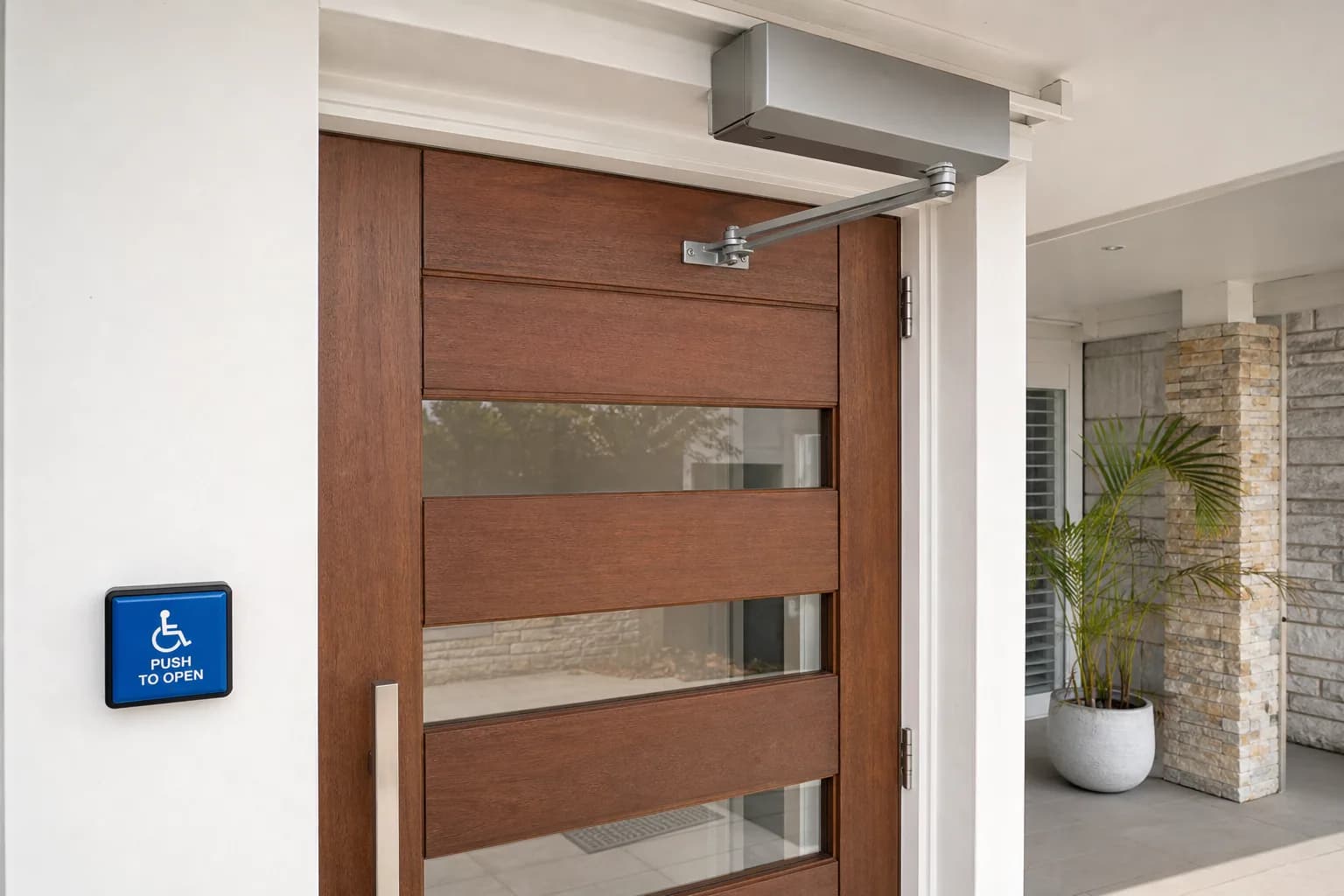
Low-energy swing-door operator

Fits: Front doors, internal hinged doors, garage-to-house doors

A discreet motor unit mounts above or beside the door frame. On activation the door unlatches, swings open at a controlled speed, holds, then closes. The most common retrofit for Perth homes and the one that suits standard hinged doors.

Sliding door automation

Fits: Patio doors, courtyard access, wide internal openings

Automated track hardware for sliders where a swing door isn't practical or would eat too much floor space. Ideal for indoor-outdoor transitions in wheelchair-accessible homes.

Opener + smart lock combination

Fits: Front doors needing full independent entry

The smart lock disengages, the motor swings the door open, then it closes and re-locks after a set delay — one command, complete entry, no assistance at any step.

Internal door automation

Fits: Bedroom, bathroom and hallway doors

Lighter-duty operators for doors inside the home, so movement between rooms doesn't depend on someone being there to open the way.

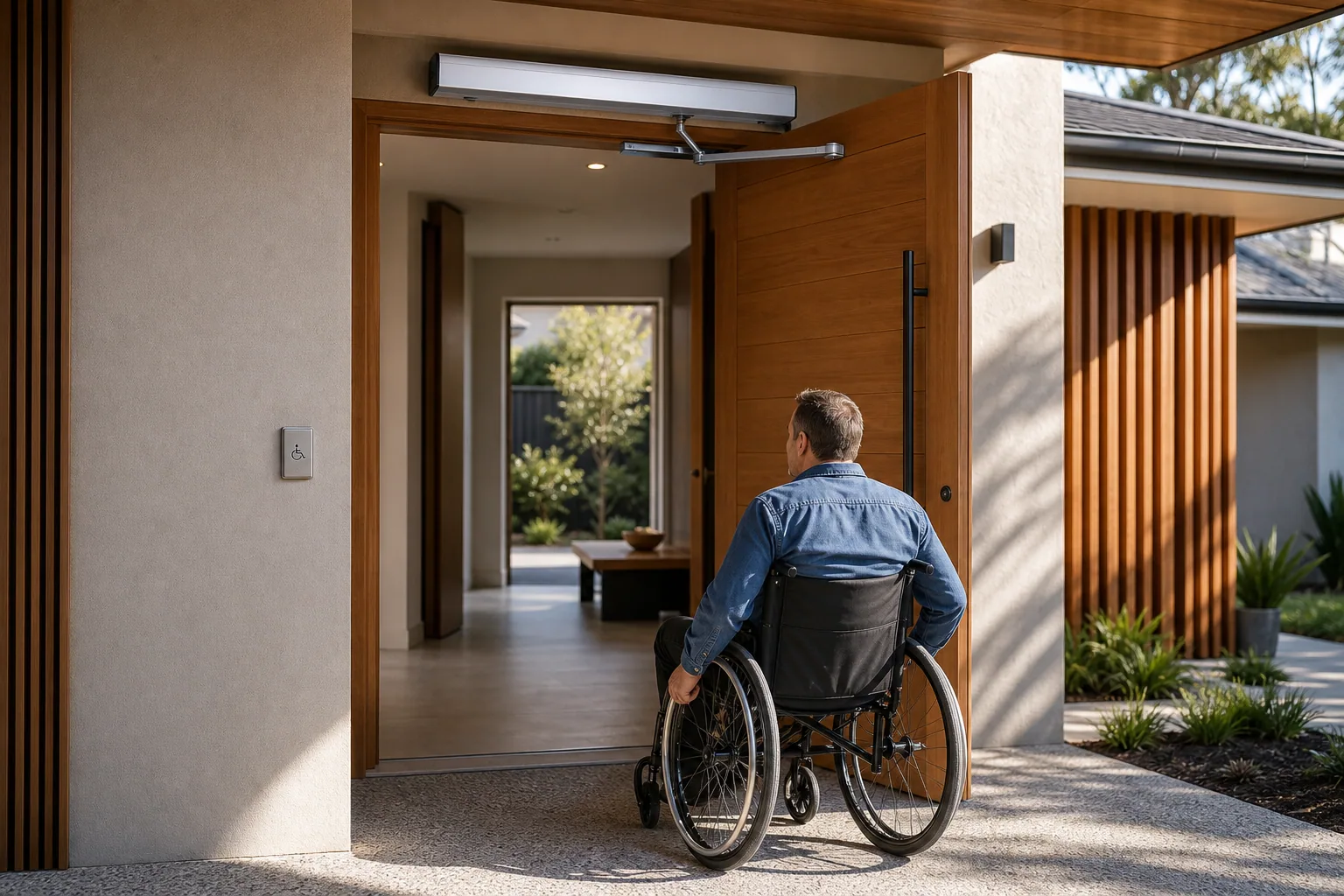
A person entering through an automated front door fitted with electronic access hardware

Approach, open, close — hands-free and at your own pace.

Choosing an activation method

How do you want to trigger the door?

One operator can accept several triggers at once. Most participants set a primary method for daily use and one backup for visitors, support workers or bad days.

Comparison of automatic door activation methods, when each one suits best, and how it works
Activation methodBest whenHow it works
Large wall buttonYou can reach and press at chair heightOversized paddle switches mounted at accessible height inside and out. Pressed with a hand, elbow, or closed fist.
Remote fobYou want to trigger the door before you reach itA pocket or chair-mounted remote that opens the door from several metres away, so it's already moving as you approach.
Wave / proximity sensorPressing anything is difficultA hand or chair passing the sensor triggers the door. No contact and no accurate aim required.
Voice commandReach and hand function are both limitedRuns through your existing voice assistant alongside your lights and blinds.
ECU / switch accessYou already drive your home from a switch or tabletThe opener appears as another controllable device in your environmental control system.
Smartphone appYou want to let someone in remotelyOpen the door for a visitor or support worker while you're in another room or away from home.
Before we install

What your door needs for an opener

An opener is a bigger install than a lock, so a few things have to be right. We check all of them at the free assessment and tell you upfront if anything needs preparing.

  • A power source within reach of the door — we run cabling neatly and coordinate an electrician where a new outlet is needed.
  • Enough frame or wall depth above or beside the door to mount the operator unit.
  • A door in sound condition — warped or dropped doors need hinge alignment first, which we identify at the assessment.
  • Clear floor space on both sides so the swing path stays safe once the door is powered.
Works with the rest of your home

Doors that speak to the rest of your setup

An opener on its own gets the door moving. Connected to your lock, intercom, ECU and monitoring hub, it becomes one command that handles the entire entry.

Google Home smart speaker beside a smartphone on a wooden table — voice and app control for connected home devices

Smart locks

The lock releases the latch and the opener does the physical work. Paired, they turn a locked front door into a single voice or button command.

Smart locks & keyless entry

Video intercom

See who's at the door on your phone, tablet or wall display, then open it for them without leaving your chair.

See video intercom options

Environmental control units

Compatible with switch-access, sip-and-puff and tablet-based ECU platforms, so opening a door works the same way as everything else you control.

Smart home overview

Safety monitoring

Door events tie into wider monitoring so families know when a participant left or returned, and when a support worker arrived.

Safety monitoring hub
NDIS funding pathway

How door automation gets into an NDIS plan

Because an operator is fixed to the building and usually needs power, it more often sits under Home Modifications than Assistive Technology — which means the evidence and quoting requirements are a step heavier.

  1. Talk with your support coordinator, LAC or occupational therapist about the doors you can't open independently.

  2. Your OT prepares an assessment identifying the functional need — door automation often sits under Home Modifications because of the install work, though some cases fall under Assistive Technology.

  3. Innogreen provides written quotes, product documentation and the full installation scope for the report.

  4. The assessment goes into your NDIS plan review or a variation request; the NDIA makes the decision.

  5. On approval we install, set open speed and hold times to your pace, brief your support team and hand over training materials.

Funding is never guaranteed. Whether the NDIS funds automatic door hardware depends on your individual plan and goals — always confirm with your planner, LAC or support coordinator. See our NDIS Funding Guide for a plain-language walkthrough.

Working with Innogreen

From first call to first hands-free entry

  • Free consultation and on-site door assessment — we measure swing, weight, frame depth and power access.
  • Operator matched to the door and to how you'll activate it (button, fob, sensor, voice or ECU).
  • Installation by trained technicians — typically 3–4 hours per door, with an electrician where new power is required.
  • Commissioning: open speed, hold-open time, closing force and obstruction sensors tuned to your movement.
  • Handover training for you, your family and your support team, plus written quick-reference guides.

Frequently asked questions

Automatic door openers may be funded through your NDIS plan when they address a functional need and are supported by evidence from your OT or support coordinator. Because installing an operator usually involves fixed mounting and electrical work, it more often sits under Home Modifications than Assistive Technology — though the pathway depends on your plan and the scope of work. Approval is always subject to your individual reasonable-and-necessary assessment, so confirm with your planner, LAC or support coordinator.

It reverts to a normal manual door the moment power is lost — the operator disengages rather than locking the door shut. Systems can be specified with battery backup that keeps powered opening running through short outages, which we'd recommend where manual operation isn't realistic for you.

Yes. Low-energy operators move at a controlled speed and carry obstruction detection that stops or reverses the door if it meets resistance. Hold-open time is set to your pace during commissioning, and safety sensors are tested as part of handover.

In most Perth homes, no. Operators retrofit to existing hinged and sliding doors — the door leaf stays and the motor mounts to the frame or adjacent wall. What we do check is frame depth, door weight, hinge condition and whether power is available nearby. Doors that are warped or have dropped on their hinges need adjustment first, which we cover in the assessment.

A swing-door operator typically takes 3–4 hours per door. The main variable is power: if there's an outlet nearby the install is straightforward, and if not we coordinate an electrician, which can add a visit. Your door remains usable throughout and is working and commissioned before the technician leaves.

If you can push or pull the door once it's unlocked, a smart lock on its own usually solves the problem at lower cost. If the weight, swing or reach of the door is the barrier — which is common for power-chair users — you need an opener. For full independent entry through a locked front door, the two work together as one system.

Often, yes — but it needs the owner's consent because the operator is fixed to the frame or wall. For SDA properties we usually deal directly with the provider, and for private rentals we can supply the specification and reinstatement details landlords generally ask for before approving.

More than a smart lock — a motorised operator is a larger piece of hardware and a longer install, and costs vary with the door, the activation methods and any electrical work. Where NDIS funding is being sought we prepare the trial and quote documentation your OT needs, and can often arrange a demonstration so you can confirm the fit before requesting funding.

Ready to open your own front door?

Book a free door assessment. We'll measure the swing, check power and frame, match an operator to your ability and funding pathway, and prepare the documentation your OT and support coordinator need.